Appointment reminders by SMS: who uses them and how
Any business that works by appointment has the same problem: the customer books, days go by and they forget. An SMS the day before and a few hours ahead is the simplest fix. What changes from one business to the next is where the appointments come from and what the message says.
What you need
Three things, and you probably have all of them:
- Appointments with a date and a time.
- The customer's mobile number for each appointment.
- A list in Excel (.xlsx, .xls, .ods) or CSV. If you use a booking system or a CRM, almost all of them can export to Excel or CSV.
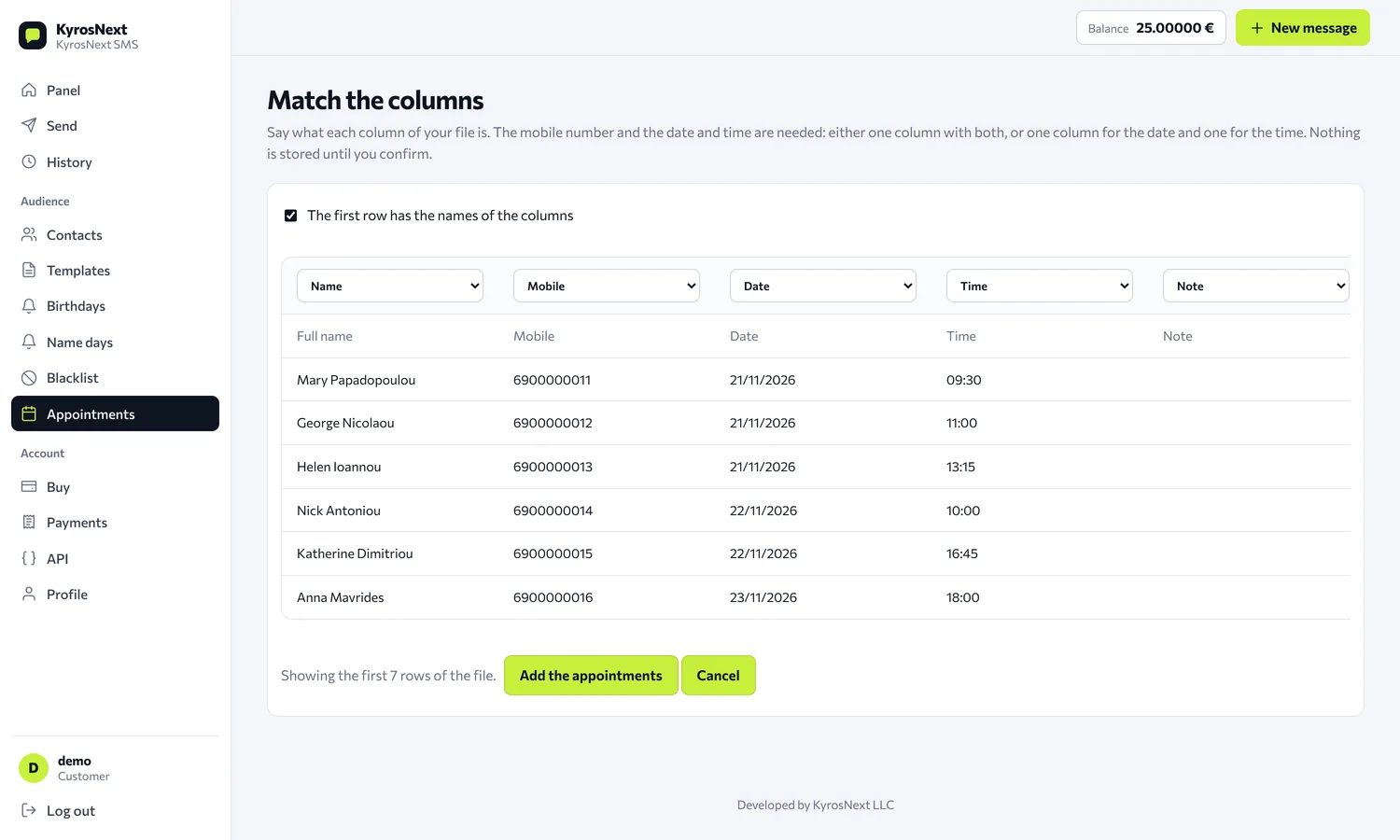
You upload the file, say which column is the mobile number, the date and the time, and iSMS.gr sends one or two reminders by itself before each appointment, from 1 to 72 hours ahead. The full description is on the page Appointment reminders from Excel.
Where it fits
Hair salons, beauty centres, spas, massage. Appointments that hold a slot and need preparation behind the scenes. A reminder 24 hours ahead gives the customer time to cancel or move it, so the slot does not stay empty.
Clinics, dental practices, physiotherapists. The model is the same, but the text needs care. Write only what is necessary: who is sending, the date and time, and a way to change the appointment. Do not mention a treatment, an examination or anything about health, because an SMS can show on a locked phone screen. For the same reason, do not put the note field in the text of these reminders.
Vets. The appointment for the pet is tied to the owner, so the reminder goes to the owner's mobile. If you want the pet's name in the message, put it in the name column of the list.
Accountants and consultants. Meetings for tax returns, signatures, document checks. A reminder on the day saying what to bring (if the text has room for it) saves a second visit.
Garages and service centres. The customer drops the car off on a given day and time. A reminder the day before is enough, and the same goes for tyre changes or any booked slot.
Restaurants and cafes. A table booking is an appointment with a time: "Your table is tomorrow at 9:00 pm". If the guest cannot come, the message invites them to say so early and the table can be given to someone else.
Lessons, classes, gyms. Private lessons and one-to-one training sessions.
If your appointments are in a CRM or a booking system
Two ways:
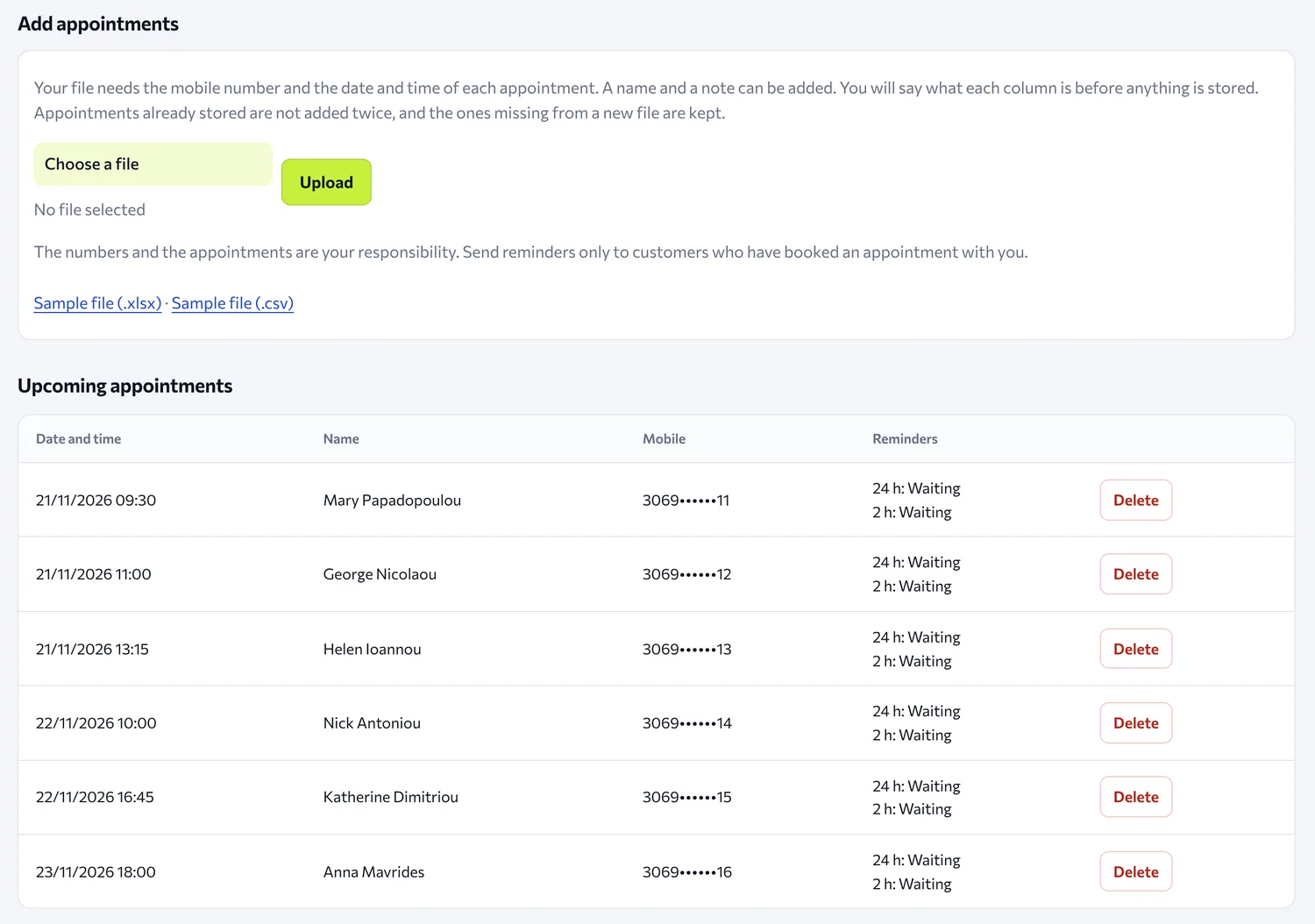
- Export and upload. You export the list of upcoming appointments and upload it. Anything already stored is not stored a second time, so you can upload the newest file again without getting duplicate reminders. If the time of an appointment changes, the new one counts as a different appointment: delete the old one from the list.
- API. If your system can talk to the API, it sends each reminder with
schedule_atfor the time you want. In this case your own system does the work, not the Appointments page.
There is no connection to a calendar (Google Calendar or any other): appointments go in with a file or with the API.
A good reminder text
Short and clear: who is sending, when the appointment is, and what to do if the customer cannot come. On the settings page you can use the name, the date and the time, and the system fills them in for each appointment. For example:
Appointment reminder: {date} at {time}. To change it, please call us.
The sender is the name of your business (see the article about Sender ID).
Keep in mind
- Only customers who have booked an appointment with you. The numbers and the appointments are your responsibility.
- Quiet hours. By default no SMS is sent between 21:00 and 08:00. A reminder that would fall in those hours goes at the start of the quiet hours, and a second, smaller one is skipped. So if your business works in the evening (a restaurant, for example), check when the reminder will go out before you rely on it.
- Charging. Each reminder is an ordinary message and is charged when it leaves, not when you upload the file. If the balance is short, it is not sent and not charged.
- Far-off dates. The reminders of the Appointments page go out up to 72 hours ahead. For something you want to remind people of months ahead, such as a yearly vehicle inspection, there is the scheduled send with repeat (up to 60 times and up to 2 years from the first one), message by message.
Create an account and try it with one appointment of your own.