
Appointment reminders by SMS from Excel
A forgotten appointment is an hour that was not worked. If your appointments are in Excel, you upload the file once and iSMS.gr sends a reminder before each one by itself. You do not schedule message by message.
How it works
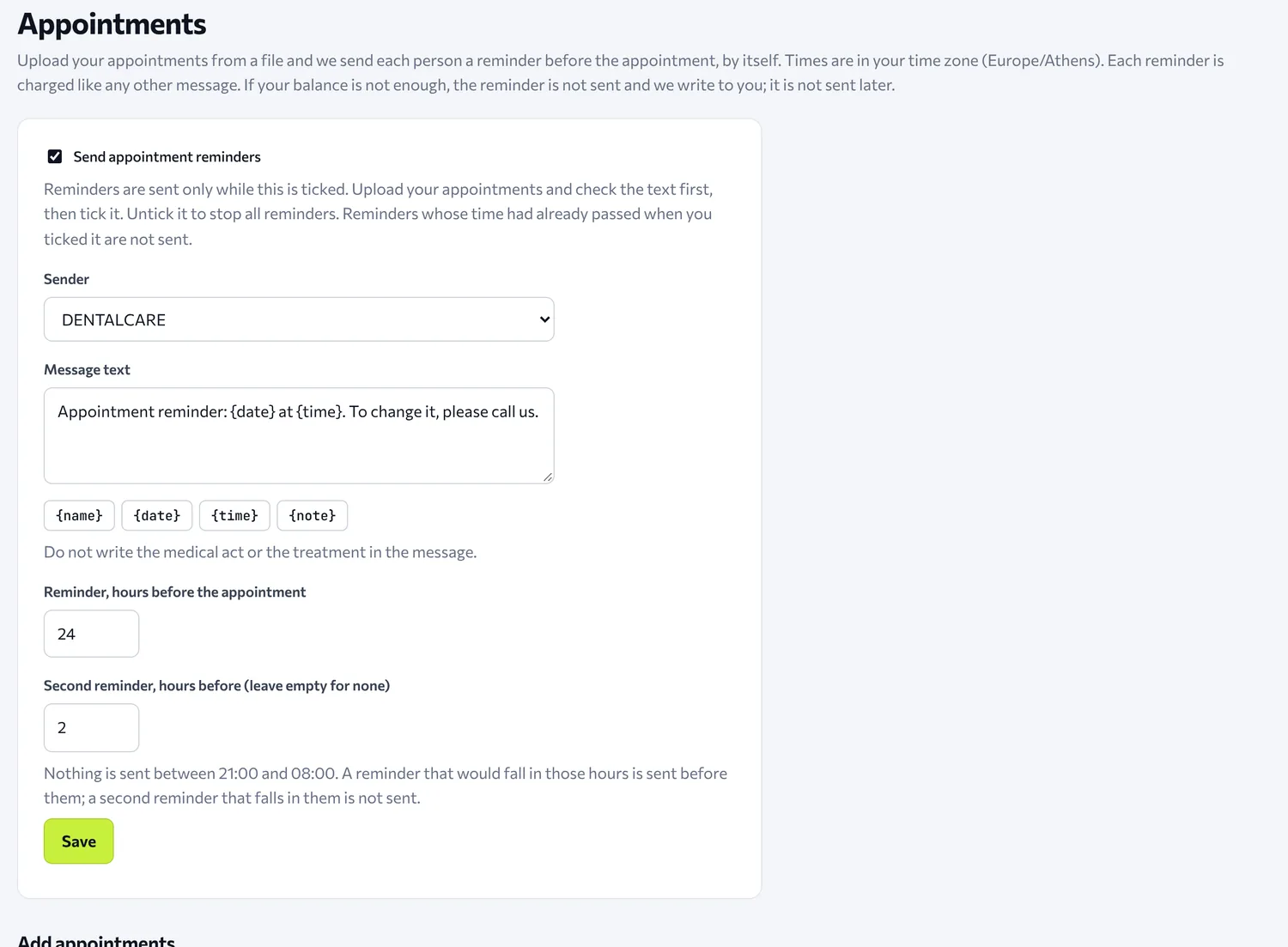
- In the panel, on the Appointments page, you turn on the reminders and choose the sender and the text.
- You set how many hours before the appointment the reminder goes out.
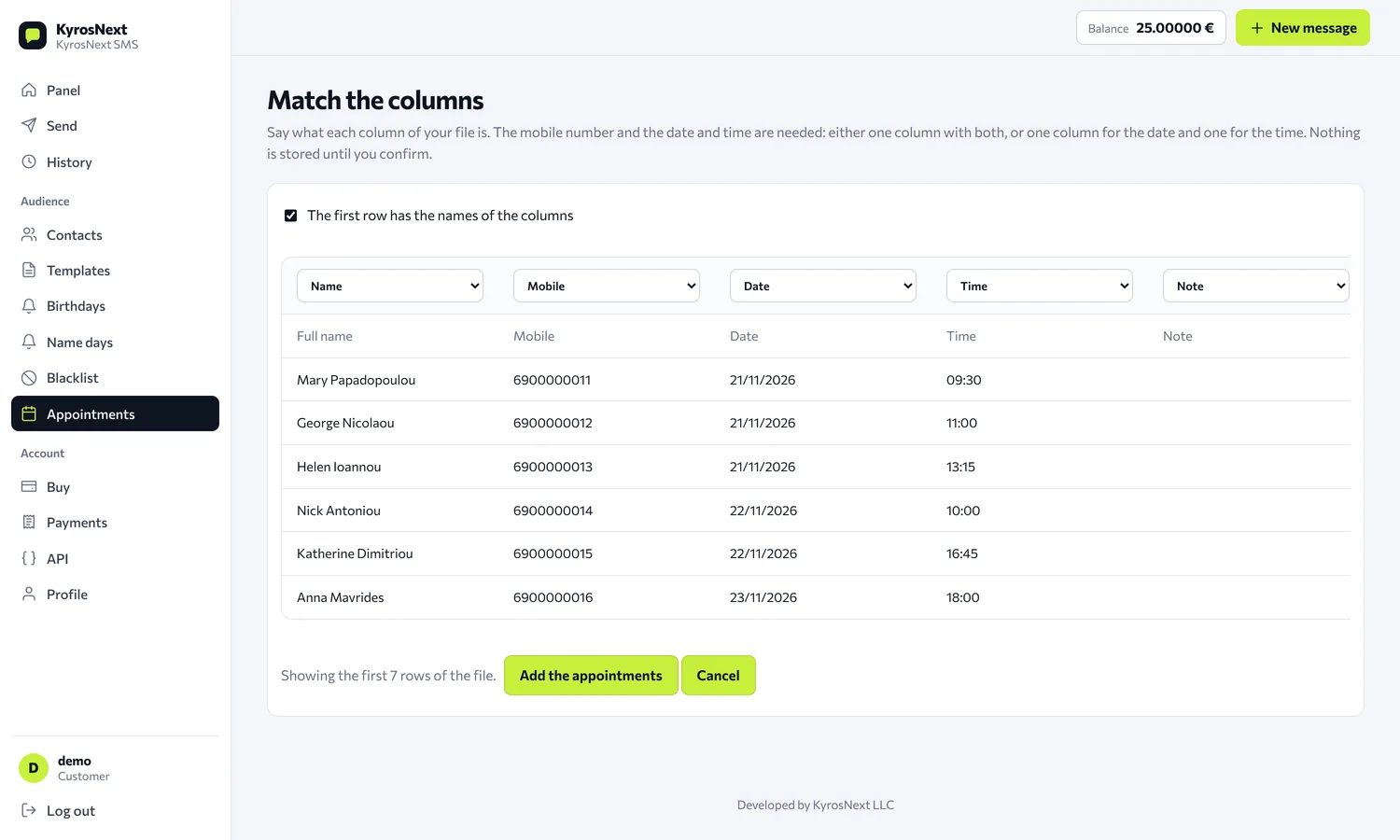
- You upload the file and say which column is the mobile number, the date and the time. Before anything is stored, you see what the system read.
From then on the messages go out by themselves, at the right time for each appointment.
The file
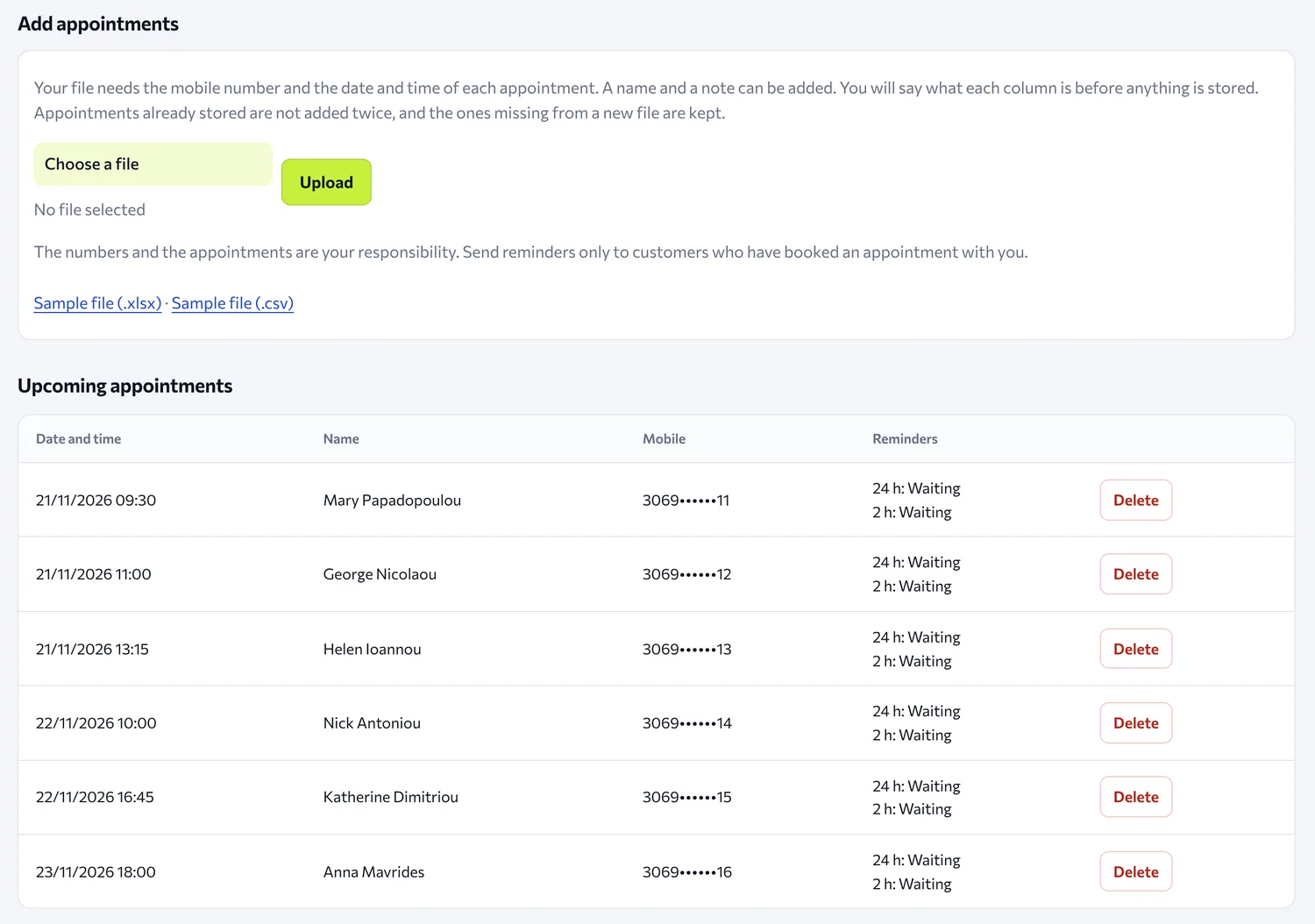
- It accepts .xlsx, .xls, .ods or CSV.
- It needs the mobile number and the date and time, either in one column or in two. You can add a name if you like.
- The page has a sample file (.xlsx and .csv) so you can see the format.
- Lines that cannot be read (a wrong number, a date or time that does not exist, an appointment in the past) are left out and listed with their line number. The rest are stored.
- If you upload the same file again, the same mobile at the same time is not stored twice. Appointments missing from a new file are kept.
- Each appointment is removed 30 days after it takes place.
By default, one file can have up to 5,000 lines.
When the reminder goes out
- You choose from 1 to 72 hours before the appointment, and up to two reminders. For example, one 24 hours before and one 2 hours before.
- You write the text yourself and it can contain the name, the date and the time of the appointment.
- Times are in your account's time zone.
Quiet hours
By default no reminders go out from 21:00 to 08:00, so nobody receives an SMS in the evening. A reminder that would fall inside those hours goes out at the start of them, that is, earlier. If there is also a second, smaller reminder inside those hours, it is skipped.
If the file is uploaded late
If the reminder time has already passed and the appointment is at least 15 minutes away, the reminder goes out at once. If it is closer, it is skipped, so it does not arrive when it no longer makes sense.
Charging
Each reminder is an ordinary message. It is charged at your account's price, from your balance, and your blacklist is checked at the moment it goes out.
If the balance is not enough, or the sender or the spam filter does not accept the message, the reminder is not sent, not charged and not sent later. We write to you in an email (at most one a day), and on the Reminders not sent page you see every reminder that was skipped and why.
Responsibility
The numbers and the appointments are your responsibility: send reminders only to customers who have booked an appointment with you.
Frequently asked questions
Is it connected to my calendar? No. Appointments go in with a file. If your appointments are in a system of your own, see sending with schedule_at from the API.
Can I add one appointment myself? You can schedule one message as in the article about scheduled sending.
Am I charged now for all the appointments in the file? No. Each reminder is charged at the moment it goes out, not when you upload the file.
Can I stop a reminder? Yes, you delete the appointment and it is never sent.
Create an account and try it with the sample file.