
How to send SMS: a step-by-step guide
Sending SMS with iSMS.gr takes four steps. The images are from the panel, with demo data.
1. Create an account and top up your balance
Sign up at my.isms.gr and confirm your email. A new account gets a €0.20 gift to try the service. When you need more, you top up from the Buy balance page (see the payment methods). Your balance does not expire.
2. Add contacts
On the Contacts page you add one number with its name, or import a file in bulk: one phone number per line, or a spreadsheet (.xlsx, .xls, .ods). If the file has columns, you tell us what each one is before anything is imported. A contact that already exists gets the new field values.
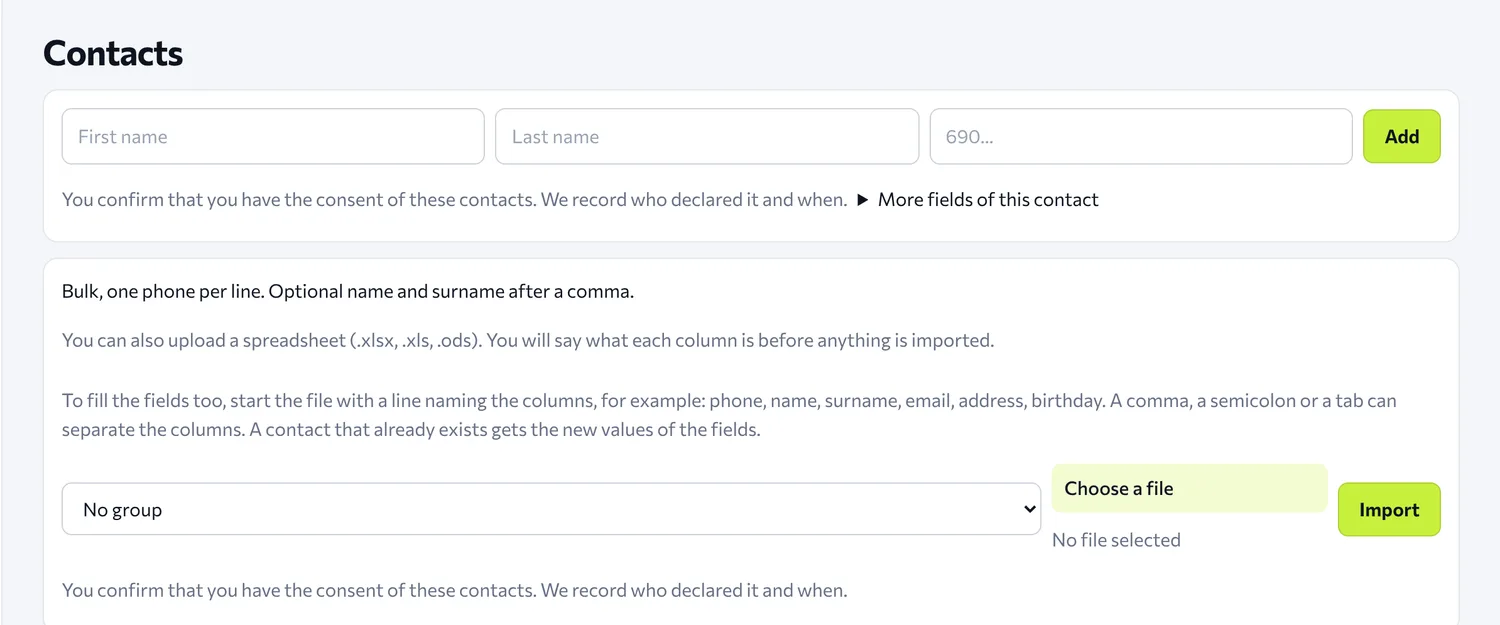
The panel asks you to confirm that you have the contacts' consent, and records who gave it and when.
3. Write and send the message
On the Send page you choose the sender name, the recipients (a name or number, all contacts, a group, or a file) and, if you like, a saved template. Then you write the message.
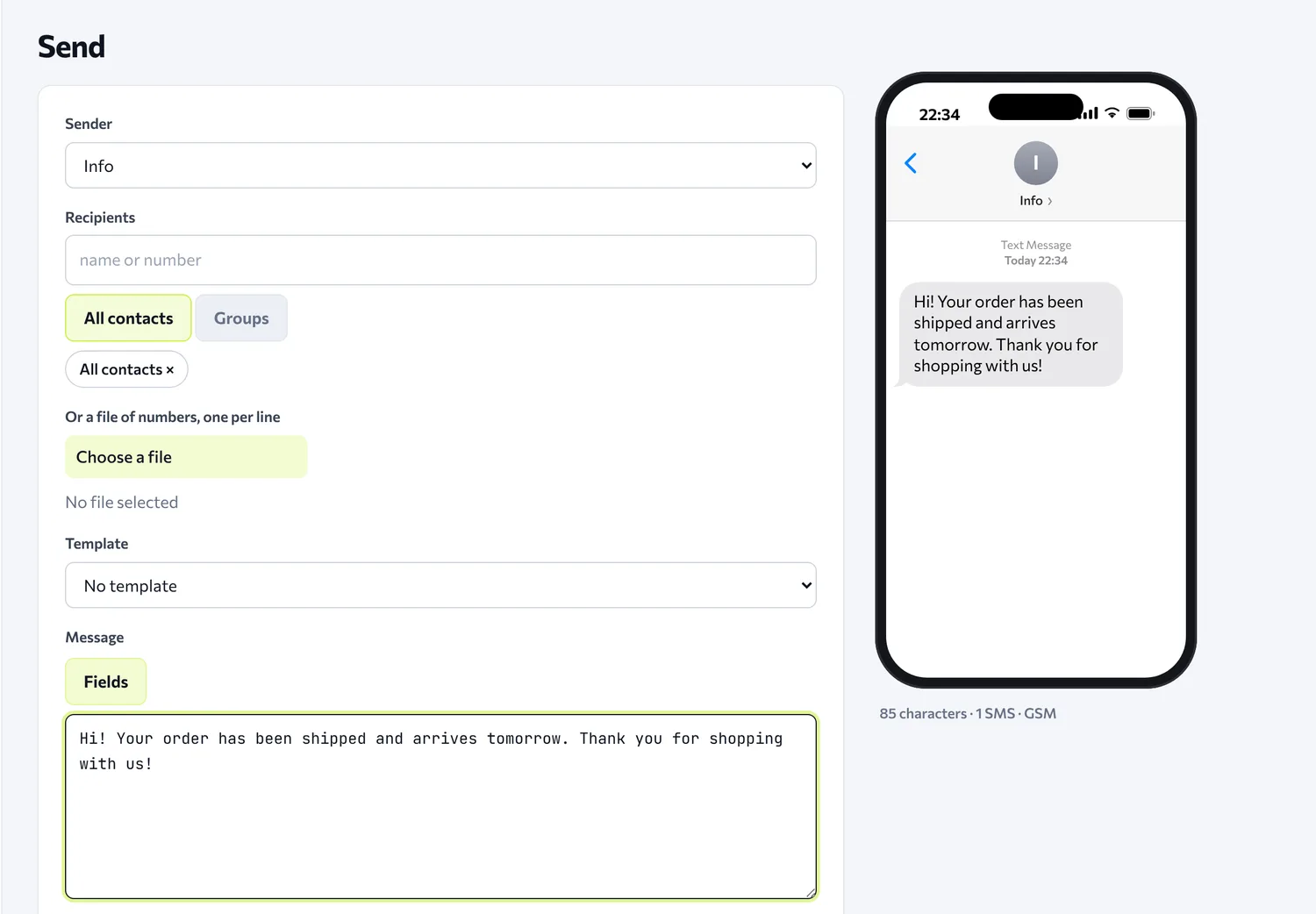
Next to the text you see how it will look on a phone, and below it how many characters the message has, how many SMS it is and which encoding it uses, so you know the cost before you send. You can send right away, or set a date and time for later.
4. See the report
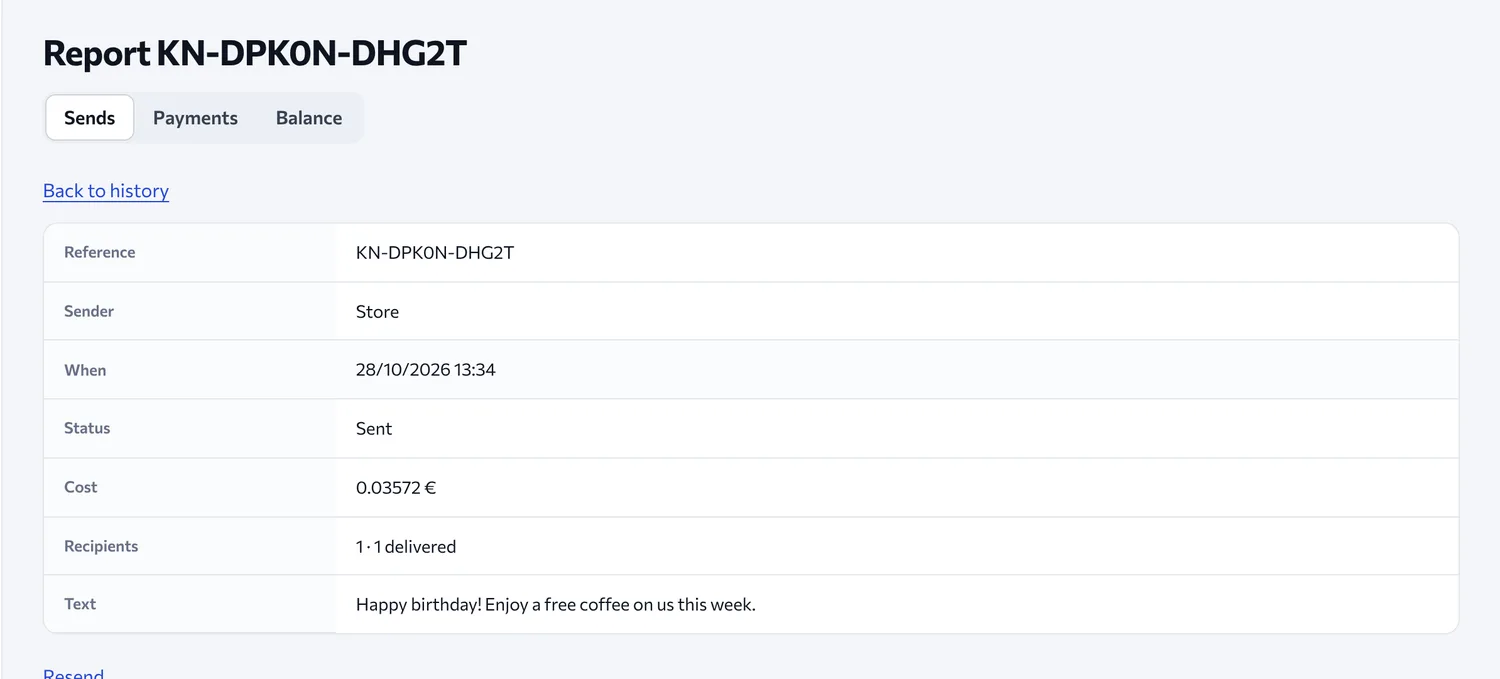
In History you open each send and see the sender, the time, the status, the cost and the text. For each recipient you can see whether the message was delivered. From the same page you can resend.
Want to do it from your own system?
Everything above can also be done with the API, without opening the panel. Want to receive replies from recipients too? See Inbound SMS. For birthdays, name days and the blacklist, see the Features. Have a question? See the FAQ or contact us.